ULAMAIFY · LIVE LEARNING WITH MINECRAFT EDUCATION
Turn Minecraft time into time spent building, coding, and solving.
For ages 6–14, Ulamaify combines the official Minecraft Education curriculum with independent live instruction, structured courses, and purposeful challenges—so students are doing more than playing.

01 / WHY MINECRAFT EDUCATION
The difference isn’t just the game.
It’s what a student is asked to do inside it.
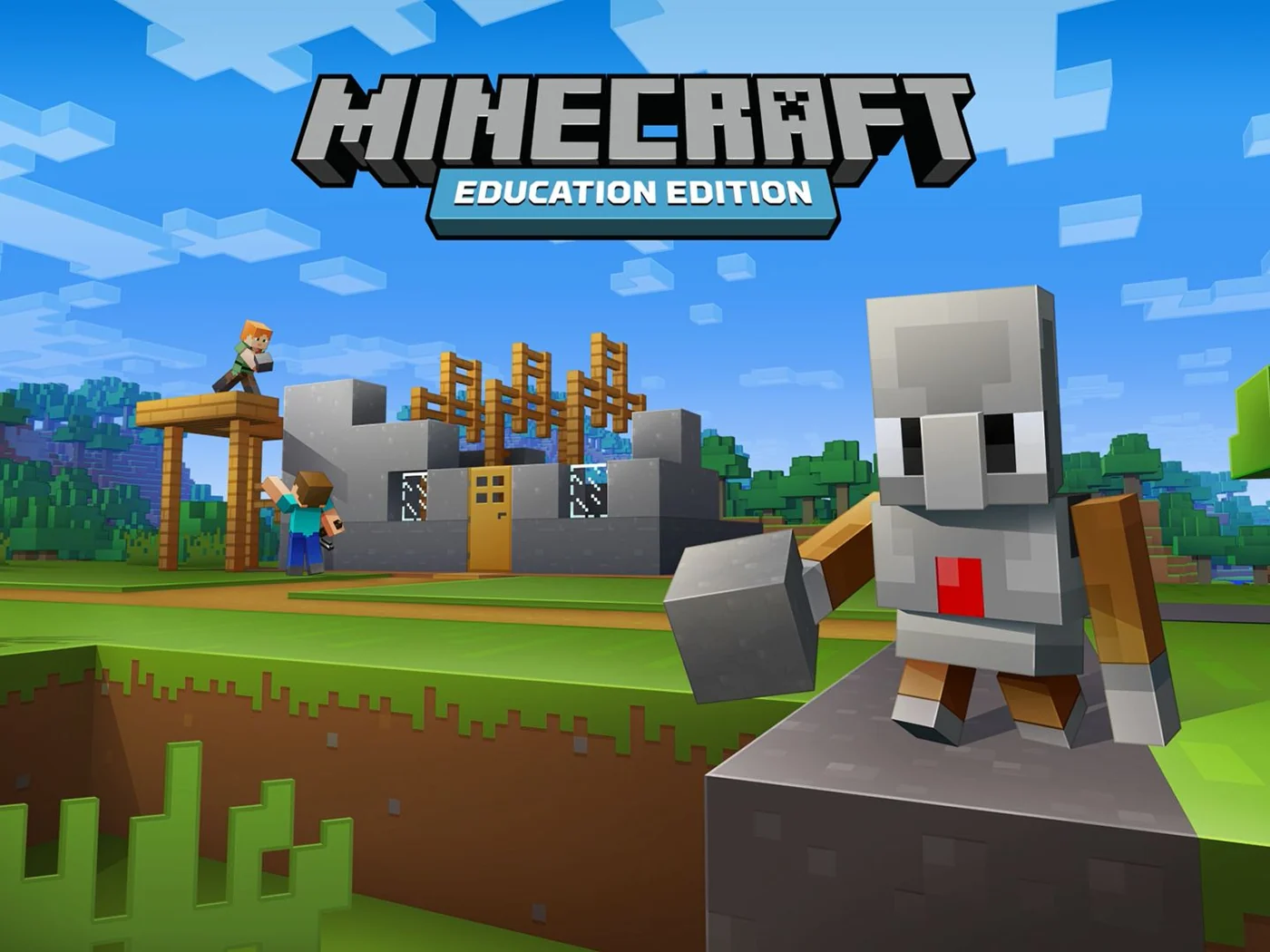
Minecraft can be a place to explore, build, and play. Minecraft Education adds teaching tools and structured activities. Ulamaify adds live guidance and follows the official lesson objectives and sequence while remaining an independent education provider.
Explore the world.
Build, discover, experiment, and enjoy Minecraft.
Use the world to learn.
Coding tools, guided lessons, projects, and educational challenges add structure.
Give the experience direction.
A live instructor guides students through the official curriculum and helps them use each activity with a clear purpose.
02 / WHAT STUDENTS ARE REALLY LEARNING
Look beyond the finished build.
The learning process lives in the decisions, code, tests, explanations, and revisions that happen before a project is complete.
Break it down
Students practice looking at a larger coding or building challenge and identifying what needs to happen first, what comes next, and which smaller problem needs attention.
Plan
A clear objective becomes easier to approach when students understand the goal, identify constraints, and choose a step-by-step plan.
Code with logic
Depending on the course, students use sequencing, loops, conditions, variables, functions, events, lists, and other programming concepts inside Minecraft Education.
Test & debug
Students can run a solution, compare the result with the goal, find mistakes, make changes, and try again.
Create & explain
Projects and challenges give students opportunities to make choices, build solutions, and explain what they created and how it works.
The important distinction: Ulamaify does not claim that playing Minecraft automatically develops these abilities. The courses create structured opportunities to practice them.
03 / THE LEARNING ROUTINE
From an idea to a working solution.
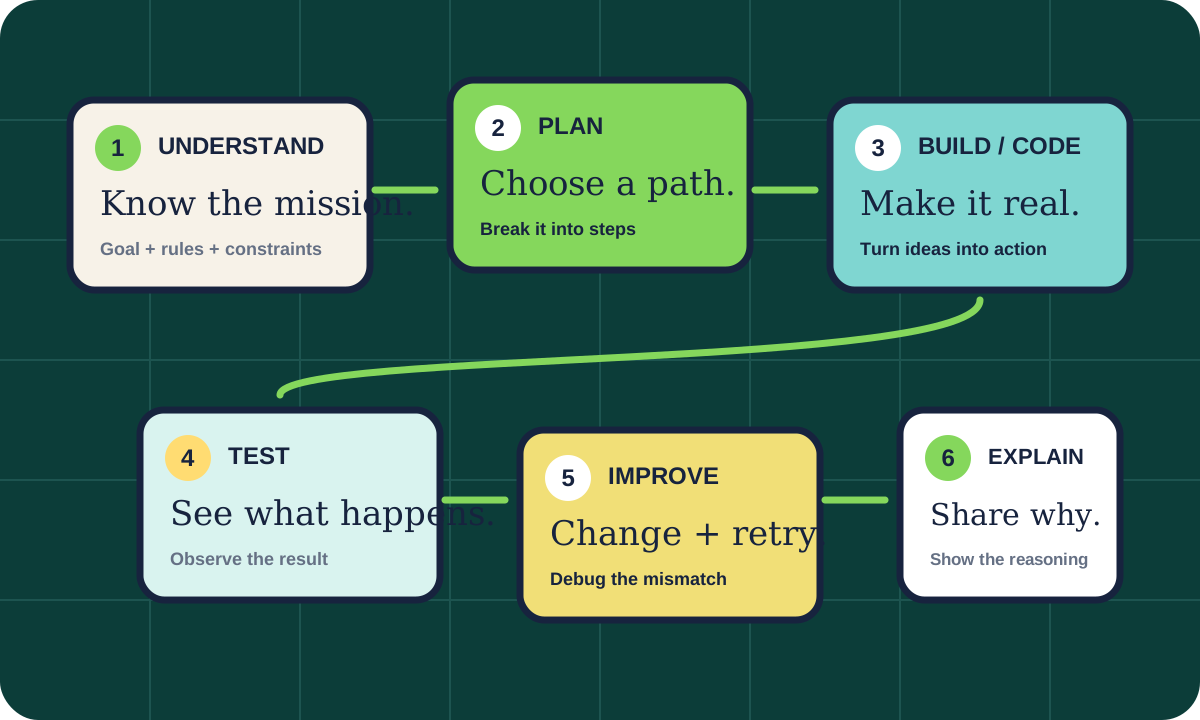
The exact activity changes by course, but students repeatedly meet a practical cycle: understand the mission, plan, build or code, test, improve, and explain.
- UnderstandWhat are we trying to accomplish?
- PlanWhat steps could work?
- Build or codePut the idea into action.
- TestSee what actually happened.
- ImproveDebug, revise, and retry.
- ExplainShare the reasoning when appropriate.
04 / THE SMALL-GROUP ADVANTAGE
Small enough to notice the problem—not just the finished project.
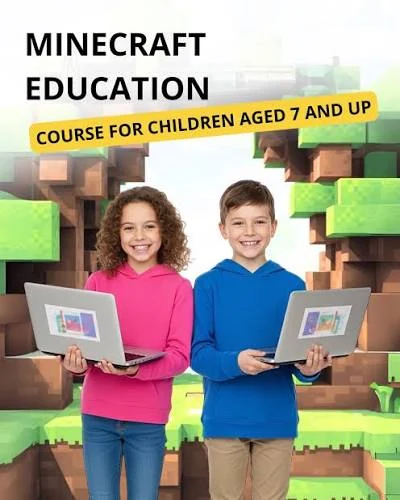
One student’s code may stop. Another student’s loop may run too long. Someone else may solve the same challenge in a completely different way. In a group of no more than four, those moments have room to become teaching moments.
Live guidance
Ask questions while the work is happening.
Troubleshooting
Investigate what went wrong instead of simply receiving the answer.
Explanation
Students can describe what their solution is supposed to do.
Participation
The group stays intentionally small.
05 / WHAT A CLASS FEELS LIKE
Less watching. More doing.
Ulamaify follows the official lesson sequence and educator materials, then delivers them through a live small-group online class.
Meet the mission
Begin with the activity, coding problem, project, or objective.
Learn the idea
The instructor introduces the concept students need for the task.
Use it
Apply the idea inside Minecraft Education.
Test & troubleshoot
See what the solution actually does and investigate unexpected results.
Review & move forward
Connect the activity back to the idea being practiced.
06 / RESEARCH, WITHOUT THE HYPE
Minecraft can support learning.
That doesn’t make every minute educational.
Research around Minecraft in education points toward a careful conclusion: structured, informed, guided use matters. Ulamaify therefore avoids promising guaranteed grades, IQ gains, creativity, persistence, or academic transfer from Minecraft play alone.
Hands-on coding and projects
Minecraft Education provides an environment where official lessons can combine coding, AI, projects, collaboration, and visible feedback.
Promising learning opportunities
Research has reported positive learning and engagement opportunities when Minecraft is used purposefully in educational settings.
No automatic transformation
Those findings do not justify claiming that simply playing Minecraft guarantees stronger grades, confidence, creativity, or transferable skills.
07 / PARENT QUESTIONS
You’re not enrolling your child just to play Minecraft.
These are the questions that define the actual learning experience.
01Is this regular Minecraft?+
The courses use Minecraft Education and its official curriculum materials. Ulamaify independently delivers the live instruction and is not affiliated with Microsoft, Mojang, or Minecraft Education.
02What ages is the program for?+
The overall Ulamaify Minecraft program is for students ages 6–14. The best starting course depends on age, experience, and readiness.
03Does my child need to know how to code already?+
Not necessarily. Ulamaify offers beginner entry points such as Hour of Code and Coding Fundamentals, as well as Python, AI, and game-creation courses for students ready to continue.
04How many students are in a class?+
Live group classes have no more than four students. Special 1-on-1 options may also be available.
05How long is each class?+
Minecraft classes are 60–75 minutes and are delivered live online.
06What is the difference between Coding Fundamentals and the Python courses?+
Coding Fundamentals uses visual MakeCode-style blocks to establish core programming ideas. Python 101 and Python Islands move students into text-based Python programming inside Minecraft Education.
07Are Hour of AI and AI for Earth the same course?+
No. Hour of AI uses the applicable official Hour of AI activities. AI for Earth is offered separately and focuses specifically on AI ideas connected to environmental and real-world challenges.
08 / COURSES, PATHWAYS & CHALLENGES
Three guided pathways. Or choose a private course.
Choose the pathway that best matches your child’s next step, or open the Private tab to focus on one course at a time. Prices and direct checkout links are managed by Ulamaify and can be updated without rebuilding this page.
BEGINNER PATHWAY
Foundation Bundle
Coding Fundamentals — Blocks 1, 2 & 3
Build the coding foundation first.
This beginner-friendly pathway takes students through the complete Coding Fundamentals progression in sequence. Students start with visual block coding and clear step-by-step instructions, then grow into loops, patterns, logic, planning, testing, and debugging through increasingly challenging Minecraft Education missions.
COURSES INCLUDED
Coding Fundamentals — Block 1
A beginner-friendly starting point that uses visual blocks inside Minecraft Education to introduce how coding works. Students practice sequencing, loops, movement, building, and simple problem-solving while learning to give instructions in the correct order.
- Basic coding concepts using visual blocks
- Sequencing instructions in the correct order
- Loops and repeated actions
- Movement, building, logic, and problem-solving
Coding Fundamentals — Block 2
Students build on Block 1 with more confident use of loops, patterns, decomposition, and debugging. Minecraft missions give them larger problems to break into smaller steps while they create smarter actions and learn to find and fix mistakes.
- More advanced block-based coding
- Loops and patterns with more confidence
- Breaking larger problems into smaller steps
- Debugging and improving Minecraft solutions
Coding Fundamentals — Block 3
The third block strengthens the coding foundation through larger, creative missions. Students combine sequences, loops, and logic, plan solutions before building, test their code, and debug problems with more independence.
- Advanced block-coding practice
- Sequences, loops, and logic in bigger challenges
- Planning before building a solution
- Testing, debugging, and improving code
INTERMEDIATE PATHWAY
Intermediate Bundle
Python 101 + Python Islands + GameCode
Learn Python, practice it, then create with code.
This pathway moves students from Python foundations into guided mission practice and creative application. Python 101 introduces the language and core programming concepts, Python Islands strengthens those skills through step-by-step challenges, and GameCode gives students a reason to apply coding ideas while creating interactive game behavior.
COURSES INCLUDED
Python 101
Students learn the foundations of Python through interactive Minecraft Education challenges. The course introduces syntax, data types, variables, conditionals, loops, lists, and functions while students use code to control visible actions in the Minecraft world.
- Python syntax and basic commands
- Variables, conditions, and loops
- Lists and functions
- Problem-solving through visible Minecraft actions
Python Islands
Students continue building Python confidence through island-themed missions. They practice logic, commands, variables, conditions, iteration, functions, and lists while solving challenges step by step inside Minecraft Education.
- Writing Python inside Minecraft
- Island-themed coding challenges
- Logic, commands, and step-by-step thinking
- Functions, lists, iteration, and problem-solving
GameCode
GameCode turns coding into a creative application. Students build arcade-style mini-games while using events, variables, functions, conditions, testing, and game logic to decide what should happen, when it should happen, and how code makes it work.
- Coding through game creation
- Events, variables, and functions
- Game logic, conditions, and behavior
- Testing and improving an original game
ADVANCED EXPLORATION
Advanced Exploration Bundle
Hour of Code + Hour of AI + AI for Earth
Move from coding into AI and real-world technology.
This pathway broadens the experience beyond core coding practice. Hour of Code reinforces computational thinking through a focused coding challenge, Hour of AI introduces Artificial Intelligence and responsible technology use, and AI for Earth connects those ideas to environmental and sustainability problems in a way students can explore inside Minecraft Education.
COURSES INCLUDED
Hour of Code
A compact, mission-based coding experience that reinforces how code gives instructions to a computer. Students practice sequencing, logical thinking, creativity, and problem-solving in an approachable Minecraft Education environment.
- How coding gives instructions
- Sequencing and core programming ideas
- Problem-solving through missions
- Creativity, teamwork, and logical thinking
Hour of AI
Students explore Artificial Intelligence in simple, kid-friendly language through Minecraft missions and challenges. The experience introduces how AI can help solve problems while emphasizing creative thinking, responsible technology use, and human judgment.
- What Artificial Intelligence is
- How AI can help solve problems
- AI ideas through Minecraft missions
- Responsible technology use and human oversight
AI for Earth
Students connect AI concepts to environmental and sustainability challenges. Minecraft Education missions introduce real-world examples involving nature, animals, and the Earth while students practice digital skills, creativity, teamwork, and problem-solving.
- AI connected to environmental problems
- Real-world examples involving nature and animals
- Mission-based problem-solving
- Sustainability, creativity, teamwork, and digital skills
PRIVATE · CHOOSE YOUR COURSE
Choose the course that fits your child.
Focus on one course instead of a full bundle.
For families who prefer a private learning path, select the Minecraft Education course you want below. Each course has its own editable regular price, discounted price, and checkout link. Private availability may depend on instructor scheduling.
Coding Fundamentals — Block 1
A beginner-friendly starting point that uses visual blocks inside Minecraft Education to introduce how coding works. Students practice sequencing, loops, movement, building, and simple problem-solving while learning to give instructions in the correct order.
- Basic coding concepts using visual blocks
- Sequencing instructions in the correct order
- Loops and repeated actions
- Movement, building, logic, and problem-solving
Coding Fundamentals — Block 2
Students build on Block 1 with more confident use of loops, patterns, decomposition, and debugging. Minecraft missions give them larger problems to break into smaller steps while they create smarter actions and learn to find and fix mistakes.
- More advanced block-based coding
- Loops and patterns with more confidence
- Breaking larger problems into smaller steps
- Debugging and improving Minecraft solutions
Coding Fundamentals — Block 3
The third block strengthens the coding foundation through larger, creative missions. Students combine sequences, loops, and logic, plan solutions before building, test their code, and debug problems with more independence.
- Advanced block-coding practice
- Sequences, loops, and logic in bigger challenges
- Planning before building a solution
- Testing, debugging, and improving code
Python 101
Students learn the foundations of Python through interactive Minecraft Education challenges. The course introduces syntax, data types, variables, conditionals, loops, lists, and functions while students use code to control visible actions in the Minecraft world.
- Python syntax and basic commands
- Variables, conditions, and loops
- Lists and functions
- Problem-solving through visible Minecraft actions
Python Islands
Students continue building Python confidence through island-themed missions. They practice logic, commands, variables, conditions, iteration, functions, and lists while solving challenges step by step inside Minecraft Education.
- Writing Python inside Minecraft
- Island-themed coding challenges
- Logic, commands, and step-by-step thinking
- Functions, lists, iteration, and problem-solving
GameCode
GameCode turns coding into a creative application. Students build arcade-style mini-games while using events, variables, functions, conditions, testing, and game logic to decide what should happen, when it should happen, and how code makes it work.
- Coding through game creation
- Events, variables, and functions
- Game logic, conditions, and behavior
- Testing and improving an original game
Hour of Code
A compact, mission-based coding experience that reinforces how code gives instructions to a computer. Students practice sequencing, logical thinking, creativity, and problem-solving in an approachable Minecraft Education environment.
- How coding gives instructions
- Sequencing and core programming ideas
- Problem-solving through missions
- Creativity, teamwork, and logical thinking
Hour of AI
Students explore Artificial Intelligence in simple, kid-friendly language through Minecraft missions and challenges. The experience introduces how AI can help solve problems while emphasizing creative thinking, responsible technology use, and human judgment.
- What Artificial Intelligence is
- How AI can help solve problems
- AI ideas through Minecraft missions
- Responsible technology use and human oversight
AI for Earth
Students connect AI concepts to environmental and sustainability challenges. Minecraft Education missions introduce real-world examples involving nature, animals, and the Earth while students practice digital skills, creativity, teamwork, and problem-solving.
- AI connected to environmental problems
- Real-world examples involving nature and animals
- Mission-based problem-solving
- Sustainability, creativity, teamwork, and digital skills
BEYOND THE CLASS
Learn it in class. Put it to work in a challenge.
Ulamaify will host its own Minecraft tournaments and challenge events. Clear objectives, rules, constraints, and evaluation criteria help turn competition into goal-oriented project work.